November 7 release: fee compensation and two new alerts
Fee compensation is now visible in Finances, and tips with compensation and tips with media can have a separate alert. We show it in a video and explain how to set it up.

Product Manager at Donatty
Published:
We have released a Donatty update. Fee compensation is now visible in the transaction list, and tips with compensation and tips with media can have a separate alert. The new tags {amount_compensation} and {video_name} show the compensation amount and the video name on stream. The video shows everything in a minute; the details are below.
Fee compensation in the transaction list
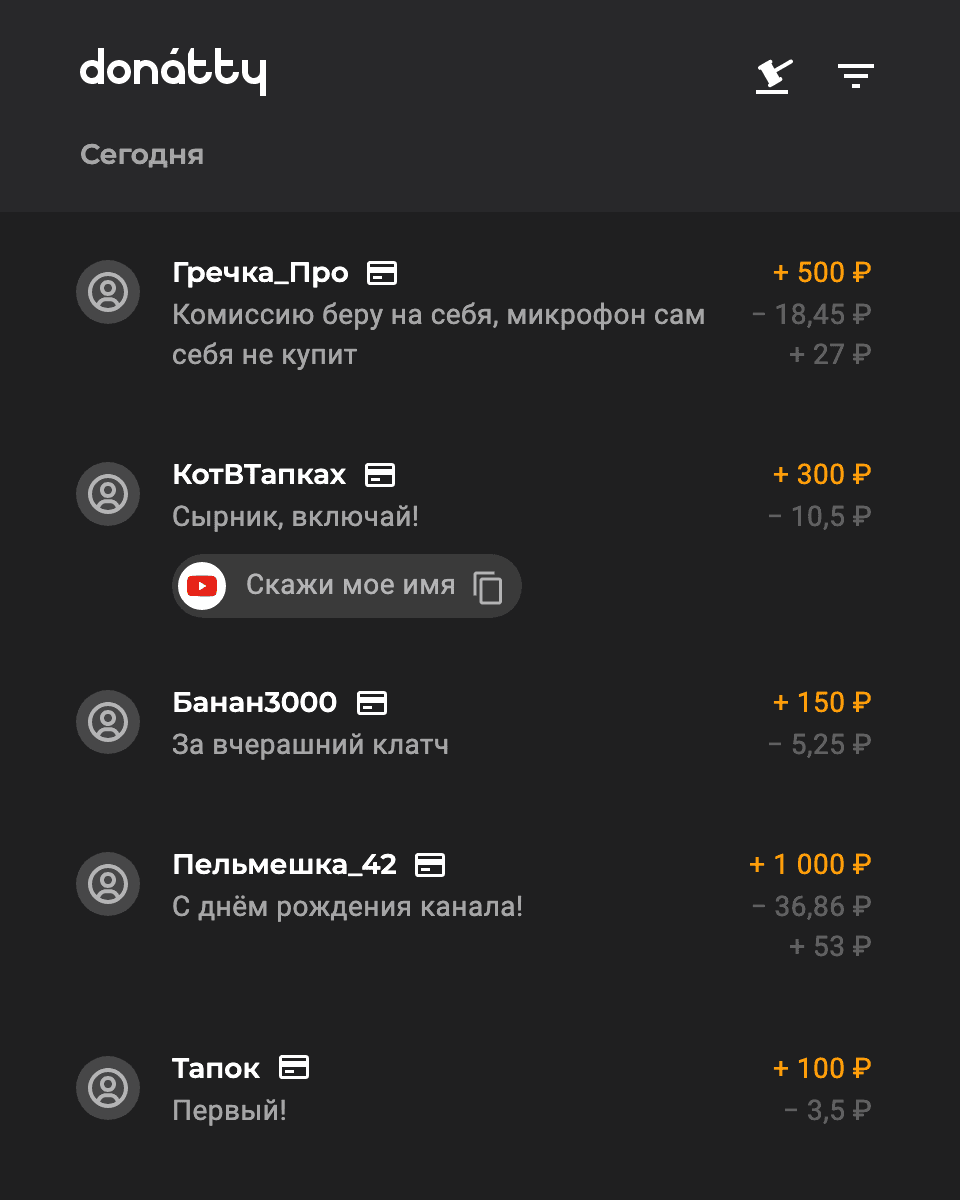
A tipper can pay the service fee on top so that you receive the full amount they entered. To do this, on the donation page they tick “Cover the service fee”. Now such a tip shows in the transaction list how much was added on top: a compensation line sits under the fee.
Compensation is turned on in the donation page settings: Widgets → “Donation page” → “Donor fee compensation” block → “Allow compensation”.
Important: A custom compensation amount and text, “Enabled by default” and “Animation” are available on PRO.
A separate alert for tips with compensation
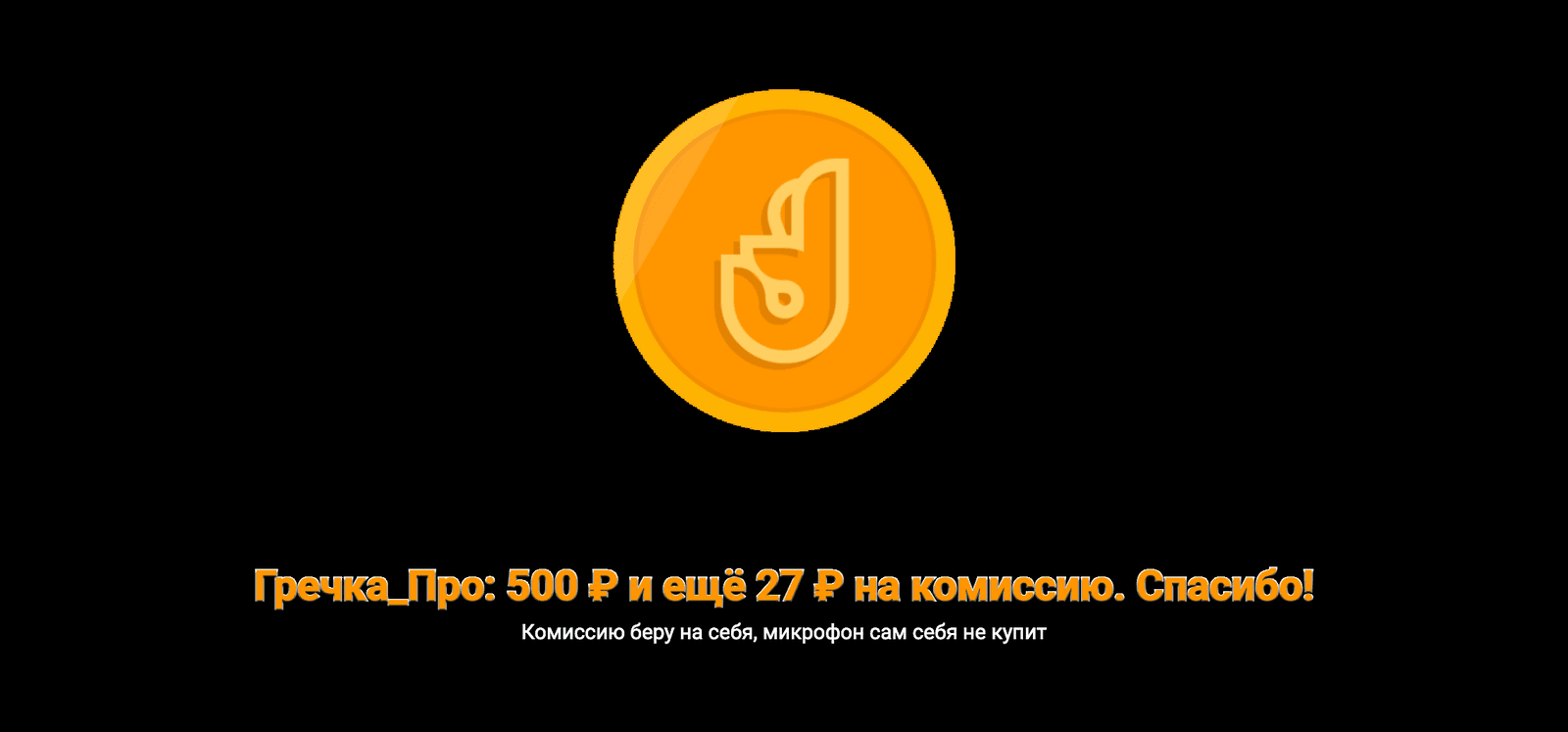
You can thank a tipper who covered the fee separately: create an alert that fires only for tips with compensation. The {amount_compensation} tag in such an alert's template shows the compensation amount. For example:
{username}: {amount} {unit} and another {amount_compensation} {unit} for the fee. Thank you!
On stream you get “Гречка_Про: 500 ₽ and another 27 ₽ for the fee. Thank you!”. {amount} is the tip amount without compensation, so the sums are not doubled.
A separate alert for tips with media
If you accept tips with media, you can make a separate alert for them too. The {video_name} tag shows the name of the video the tipper attached to the tip. The template ‘{username} orders “{video_name}”’ turns into ‘КотВТапках orders “Скажи мое имя”’ on stream.

How to set it up
Widgets → “Create” → “Alert”. In “Data sources”, under Donatty, leave only Compensation or only Media and add the tag to the “Template” field. Then open the main alert and clear the same chip there, otherwise both alerts will fire for such a tip. The new alert is a separate widget: add its link to OBS or create it in the same group as the main alert, and then the group link is enough.
Step by step and with screenshots — in the guide How to make a separate alert for tips with compensation or media.
Donatty public API: your own bot for tips and goals
Your channel's tips, goals and tipper leaderboard can now be pulled into your own program: a bot, your website or another service. Here is what you can build and where to start.
Read more
Donatty ambassador program: free PRO plan
Tell your audience about Donatty — and we give you the PRO plan. Any channel with 100 or more followers qualifies. Here is what PRO includes, what you need to do and how to join.
Read more

TikTok: an underrated promotion tool for streamers
We explain how TikTok’s algorithms work and why it makes sense for a streamer to promote themselves on the TikTok social network.
Read more